


How do you insert a picture into your thread

It's a mystery to me also, but look in FAQ and help

In reply to Post #1
I use Flickr.for hosting. Then copy.and paste the BB code.
Get.rid.of some and surround it with
<
img src=https://live.staticflickr.com/65535/52610334822_d5dce400d9_b.jpg width=500
Only when you do it put the less than symbol next to img
I didn't otherwise you will just see a photo on my.post.
I use Flickr.for hosting. Then copy.and paste the BB code.
Get.rid.of some and surround it with
<
img src=https://live.staticflickr.com/65535/52610334822_d5dce400d9_b.jpg width=500
Only when you do it put the less than symbol next to img
I didn't otherwise you will just see a photo on my.post.

In reply to Post #1
I did a post explaining how I do it and it really is simple.
Karlos has pinned it to the top in this thread in FAQ''s
https://www.carpforum.co.uk/Shared/Messages.asp?TopicIpD=145162
https://imgbb.com/
I did a post explaining how I do it and it really is simple.
Karlos has pinned it to the top in this thread in FAQ''s
https://www.carpforum.co.uk/Shared/Messages.asp?TopicIpD=145162
https://imgbb.com/

In reply to Post #1
I use imgBB, when you've uploaded a photo/picture below the pic once uploaded you have a dropbox, click on full http link then the grey box below the picture will display the link, in the top right corner of the box click on copy, once youve done this go back to the forum and hit reply in the thread you want to respond or start a thread.
At this point click the two >> next to the web link tab and you will see the following
href="http://" target="_blank">
Delete the http:// part of the link then click in between the two "" and then right click your mouse and paste the copied link, finally between the >< type Pic etc.. it should display your picture.
I use imgBB, when you've uploaded a photo/picture below the pic once uploaded you have a dropbox, click on full http link then the grey box below the picture will display the link, in the top right corner of the box click on copy, once youve done this go back to the forum and hit reply in the thread you want to respond or start a thread.
At this point click the two >> next to the web link tab and you will see the following
href="http://" target="_blank">
Delete the http:// part of the link then click in between the two "" and then right click your mouse and paste the copied link, finally between the >< type Pic etc.. it should display your picture.


In reply to Post #6
Come on Sam, those formulas are much more easy to understand than all the other responses.....
Come on Sam, those formulas are much more easy to understand than all the other responses.....


In reply to Post #8
Which link do you use Gerry for direct posting of the picture? it gives a list of about 8 types of links.
Which link do you use Gerry for direct posting of the picture? it gives a list of about 8 types of links.
In reply to Post #9
Come on OG
Come on OG
In reply to Post #9
Hotlink for websites...
Thumbnail...
Full size...
Hotlink for websites...
Thumbnail...
Full size...
In reply to Post #9
insert the 2nd one down Direct link:
insert the 2nd one down Direct link:
In reply to Post #11
Thanks Dave
Just practicing


Thanks Dave
Just practicing
In reply to Post #12
Gerry, the direct link, 2nd one down, didn't work for me. It's png, not html code that the forum needs.
Gerry, the direct link, 2nd one down, didn't work for me. It's png, not html code that the forum needs.
In reply to Post #14
 EH ?
EH ?
dave ? not sure what the **** your talking about mate
STEP
A LINK
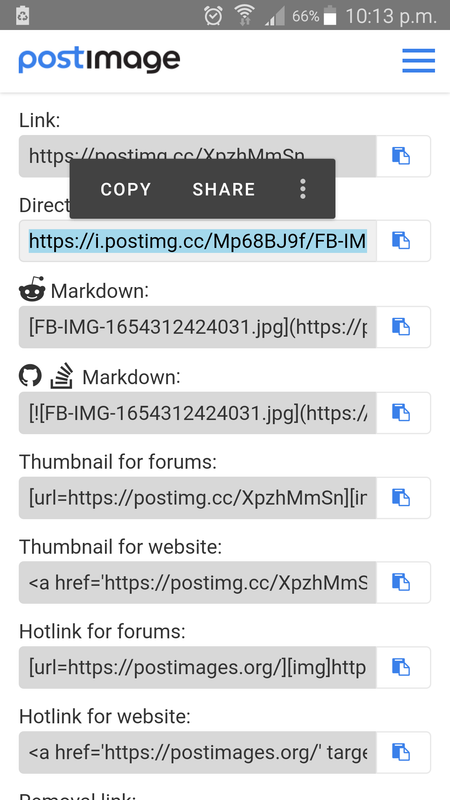
B CLICK ON CHOOSE IMAGE then select the jpeg picture you have saved on your PC and open
C then select the 2nd option down DIRECT LINK
copy it and insert it
I BEEN DOING THIS FOR GOD KNOWS HOW MANY YEARS
just took this picture of my tee shirt

EH ? dave ? not sure what the **** your talking about mate
STEP
A LINK
B CLICK ON CHOOSE IMAGE then select the jpeg picture you have saved on your PC and open
C then select the 2nd option down DIRECT LINK
copy it and insert it
I BEEN DOING THIS FOR GOD KNOWS HOW MANY YEARS
just took this picture of my tee shirt
In reply to Post #16
yea easy

yea easy
In reply to Post #17
No idea why the 2nd link doesn't work for me, but you've been able to copy me direct link and turn it into a picture.
No idea why the 2nd link doesn't work for me, but you've been able to copy me direct link and turn it into a picture.
In reply to Post #18
because I am using the ORIGINAL instructions type the below only using a space where it says the word space putting the post image 2nd one down where it says insert easy peasy I had to put it down like this otherwise it just makes a link ONLY TYPE A SPACE WHERE IT SAYS THE WORD
<
img
space
src
insert 2nd link down
space
width=
400
>
because I am using the ORIGINAL instructions type the below only using a space where it says the word space putting the post image 2nd one down where it says insert easy peasy I had to put it down like this otherwise it just makes a link ONLY TYPE A SPACE WHERE IT SAYS THE WORD
<
img
space
src
insert 2nd link down
space
width=
400
>
In reply to Post #19
So you are using postimages to make a direct link to the picture, then adding it to the Carpforum code and then posting it in the thread.
The link im copying (hotlink for websites) will paste straight into the thread and needs no tinkering.
So you are using postimages to make a direct link to the picture, then adding it to the Carpforum code and then posting it in the thread.
The link im copying (hotlink for websites) will paste straight into the thread and needs no tinkering.
I found that Dave, I tried a few links and it wasn't posting the pictures direct from the link until you said use the hotlink then it did, that's why I like imgbb copy full html link paste into thread picture automatically displays.saves all the faff, I tried Gerry's hosting site as imgbb is down for maintenance, I'm ok now that you pointed me in the right direction with the postimage links
In reply to Post #20
 not sure what your talking about tinkering ?? LMFAO !!!
when I joined Carpforum there was a guide how to put pictures on the site and how to make them bigger or smaller
so I used it and have done ever since the only time we had a problem was when Photo bucket packed up
IMO it could not be easier the only problem is trying to explain it
as if you type the code to explain it no one will see it unless you break it up as it automatically trys to make a picture I done this in my post below anyone trying this will see just how fast and simple it is
@ Ian I do it the original way try following my post below see if it works
not sure what your talking about tinkering ?? LMFAO !!!when I joined Carpforum there was a guide how to put pictures on the site and how to make them bigger or smaller
so I used it and have done ever since the only time we had a problem was when Photo bucket packed up
IMO it could not be easier the only problem is trying to explain it
as if you type the code to explain it no one will see it unless you break it up as it automatically trys to make a picture I done this in my post below anyone trying this will see just how fast and simple it is
@ Ian I do it the original way try following my post below see if it works
In reply to Post #22
not sure how you posting Dave ? I can only do it my way lol
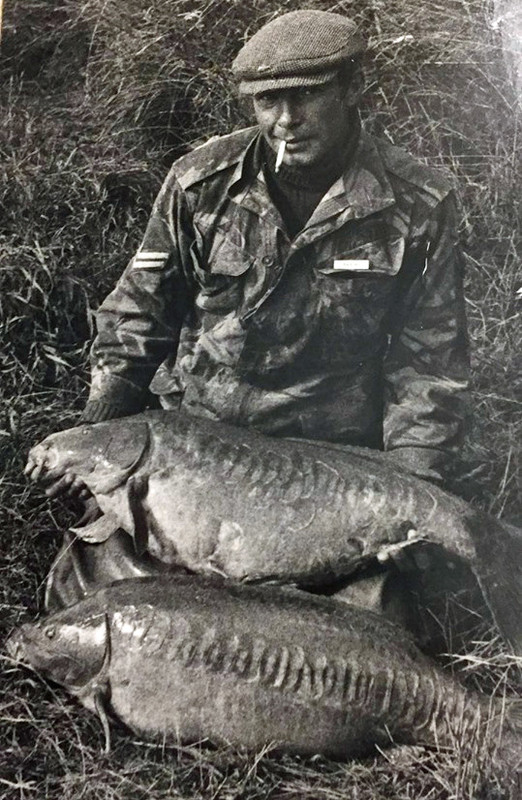
this is width=400
not sure how you posting Dave ? I can only do it my way lol
this is width =200
not sure how you posting Dave ? I can only do it my way lol
this is width=400
not sure how you posting Dave ? I can only do it my way lol
this is width =200
In reply to Post #22
I used to do it the same way as you Gerry but as things have moved on a lot of the hosting sites you can just copy and paste the link directly without all the Forum text and they automatically display imgbb being one and knowing the right link on the image site you posted also does it now just shortcuts having to insert a link between text.
I used to do it the same way as you Gerry but as things have moved on a lot of the hosting sites you can just copy and paste the link directly without all the Forum text and they automatically display imgbb being one and knowing the right link on the image site you posted also does it now just shortcuts having to insert a link between text.
In reply to Post #24
AGGGHHHH now I get it
I just realised what Dave and you were saying you dont need ANY TEXT just the link 
AGGGHHHH now I get it
I just realised what Dave and you were saying
you dont need ANY TEXT just the link

I'm on another forum where you can just select an image from the gallery on your phone and upload it straight to the forum. So straightforward, always puzzled me why this forum isn't the same?
In reply to Post #24
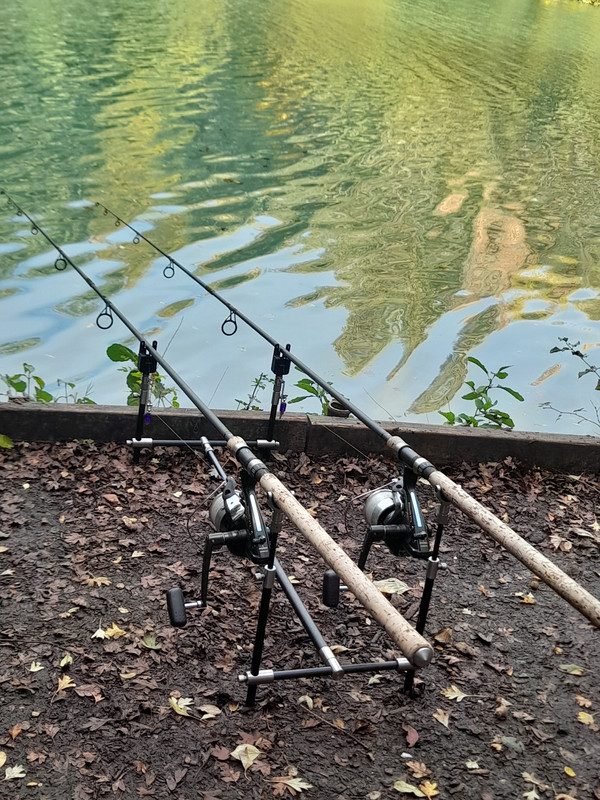
I find I usually have to add the width=500 bit to the links with that way. If it's a half decent shot I use the medium linked option
I find I usually have to add the width=500 bit to the links with that way. If it's a half decent shot I use the medium linked option
2nd link didn't work for me
In reply to Post #29
just post the 2nd link up from the bottom
just post the 2nd link up from the bottom
In reply to Post #30
Ah. Thanks OG
Ah. Thanks OG
In reply to Post #26
That forum would have to host the pictures, so it would cost the forum probably quite a lot of money.
That forum would have to host the pictures, so it would cost the forum probably quite a lot of money.

In reply to Post #26
I think that Karlos was trying to make it happen, he mentioned it on the 'BACK UP' thread that he started when the forum came back up after being offline.
I lost loads of photos when photobucket went 'pay to play'. I downloaded as many as I could but so many I couldn't get or find.
I think that Karlos was trying to make it happen, he mentioned it on the 'BACK UP' thread that he started when the forum came back up after being offline.
I lost loads of photos when photobucket went 'pay to play'. I downloaded as many as I could but so many I couldn't get or find.

In reply to Post #33
Nevermind I tried
Nevermind I tried
In reply to Post #17

In reply to Post #22
so I used it and have done ever since the only time we had a problem was when Photo bucket packed up
Same here, I then gave up, £,
so I used it and have done ever since the only time we had a problem was when Photo bucket packed up
Same here, I then gave up, £,

I've tried, maybe I'll get there in the end.
Tel
😂😂😂😂
Tel
😂😂😂😂

In reply to Post #23
That is THE,best pic of all time ...!
That is THE,best pic of all time ...!
In reply to Post #38
lol thank you it was a few Stone years ago it was actually 2 fish from the 5 that I had in a mad 5 hour session
including 1 rod being towed round the lake that I got back !! but the fish had shed the hook
lol thank you it was a few Stone years ago it was actually 2 fish from the 5 that I had in a mad 5 hour session
including 1 rod being towed round the lake that I got back !! but the fish had shed the hook
In reply to Post #39
Hope you've got it framed at home..its got a real old skool vibe going on ,harking back ,to maybe a better time.
Places like Redmire,Beechmere,Woldale ...and many others in my mindset,encompasses those venues ....you know what I mean...👍
And oh boy isn't the weather crap today...lol...!
Hope you've got it framed at home..its got a real old skool vibe going on ,harking back ,to maybe a better time.
Places like Redmire,Beechmere,Woldale ...and many others in my mindset,encompasses those venues ....you know what I mean...👍
And oh boy isn't the weather crap today...lol...!


In reply to Post #41
Reading ALL pages