


In reply to Post #29
No coloured dots or boxes for me, light and dark modes the same.
No coloured dots or boxes for me, light and dark modes the same.

In reply to Post #31
May be worth clearing your browser cache
May be worth clearing your browser cache
This is how it looks
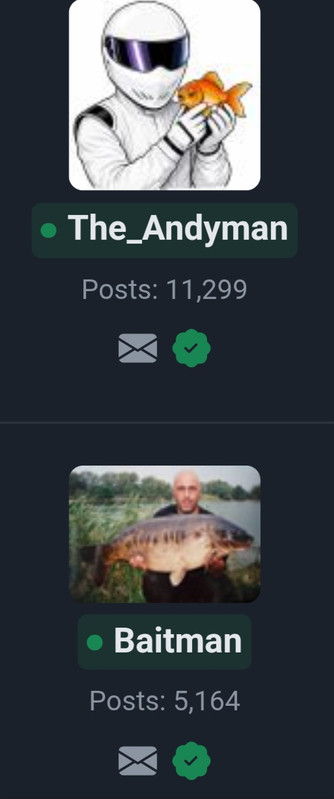
Edit - and as time passes with no activity
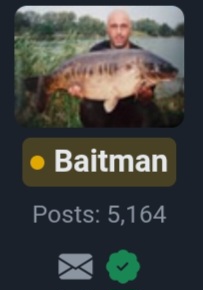
Edit - and as time passes with no activity

In reply to Post #33
I'm not sure how to clean a browser cache on mobile, at least without clearing cache for all sites (meaning cookies gone and logged out everywhere 😡)
On PC you can Control-F5 in your browser to force the refresh.
I might be able to tweak the code to force a CSS refresh, I'll try now - I had a go, hopefully that will have helped!? 🙏
I'm not sure how to clean a browser cache on mobile, at least without clearing cache for all sites (meaning cookies gone and logged out everywhere 😡)
On PC you can Control-F5 in your browser to force the refresh.
I might be able to tweak the code to force a CSS refresh, I'll try now - I had a go, hopefully that will have helped!? 🙏
In reply to Post #33
Logged out, cleared my chrome cache. This is what I've got. It's not important really.


Logged out, cleared my chrome cache. This is what I've got. It's not important really.
In reply to Post #35
How does it look in this or any other thread though?
Whos online shows arrival times and last active times so no colours there
On mobile long click chrome, click the little info icon, storage, clear cache.
This won't clear cookies or logon data etc.
How does it look in this or any other thread though?
Whos online shows arrival times and last active times so no colours there
On mobile long click chrome, click the little info icon, storage, clear cache.
This won't clear cookies or logon data etc.
In reply to Post #36
I thought these colours were to show in who's online 🙄
In the treads its fine.

I thought these colours were to show in who's online 🙄
In the treads its fine.
In reply to Post #35
The usernames on WhosOnline don't have the colours.
I can add them, but on that page you can see when they last clicked/viewed a page etc
I might add it though, I'll go review and make a knee jerk decision 😂
The usernames on WhosOnline don't have the colours.
I can add them, but on that page you can see when they last clicked/viewed a page etc
I might add it though, I'll go review and make a knee jerk decision 😂
In reply to Post #38
Doh, I thought these coloured things were going to show in whos online 🙄
In the threads its all fine.
Doh, I thought these coloured things were going to show in whos online 🙄
In the threads its all fine.
In reply to Post #39
I could add them there, but everyone listed is with the 10min cut off...so everyone would be green or peachy.
I used to find the colours handy whilst surfing the Topics/Messages, just spotting if someone is/was recently online can be useful...only realised I had overlooked adding that once the site had gone live. Added now though, along with quite a few changes today
I could add them there, but everyone listed is with the 10min cut off...so everyone would be green or peachy.
I used to find the colours handy whilst surfing the Topics/Messages, just spotting if someone is/was recently online can be useful...only realised I had overlooked adding that once the site had gone live. Added now though, along with quite a few changes today
In reply to Post #40
Agree, not needed in who's online 😬
And dont forget, when you look who is online, it would be good to return to a clickable link to the thread as previously mentioned 🤓🤓🤓
Agree, not needed in who's online 😬
And dont forget, when you look who is online, it would be good to return to a clickable link to the thread as previously mentioned 🤓🤓🤓
In reply to Post #41

In reply to Post #41
Quote: it would be good to return to a clickable link to the thread
Done 😎
Quote: it would be good to return to a clickable link to the thread
Done 😎
In reply to Post #43
Another one off the list, nice👍
Another one off the list, nice👍
In reply to Post #43
Ooh, just showing off now, but 👏🏻👏🏻👏🏻
And dont forget to also fix it on old carpforum too 🥸
Ooh, just showing off now, but 👏🏻👏🏻👏🏻
And dont forget to also fix it on old carpforum too 🥸