



In reply to Post #16
yea easy

yea easy
In reply to Post #17
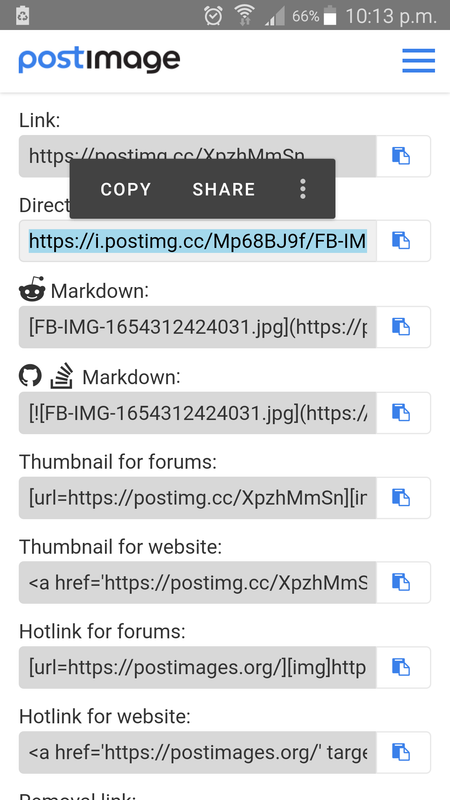
No idea why the 2nd link doesn't work for me, but you've been able to copy me direct link and turn it into a picture.
No idea why the 2nd link doesn't work for me, but you've been able to copy me direct link and turn it into a picture.
In reply to Post #18
because I am using the ORIGINAL instructions type the below only using a space where it says the word space putting the post image 2nd one down where it says insert easy peasy I had to put it down like this otherwise it just makes a link ONLY TYPE A SPACE WHERE IT SAYS THE WORD
<
img
space
src
insert 2nd link down
space
width=
400
>
because I am using the ORIGINAL instructions type the below only using a space where it says the word space putting the post image 2nd one down where it says insert easy peasy I had to put it down like this otherwise it just makes a link ONLY TYPE A SPACE WHERE IT SAYS THE WORD
<
img
space
src
insert 2nd link down
space
width=
400
>
In reply to Post #19
So you are using postimages to make a direct link to the picture, then adding it to the Carpforum code and then posting it in the thread.
The link im copying (hotlink for websites) will paste straight into the thread and needs no tinkering.
So you are using postimages to make a direct link to the picture, then adding it to the Carpforum code and then posting it in the thread.
The link im copying (hotlink for websites) will paste straight into the thread and needs no tinkering.

I found that Dave, I tried a few links and it wasn't posting the pictures direct from the link until you said use the hotlink then it did, that's why I like imgbb copy full html link paste into thread picture automatically displays.saves all the faff, I tried Gerry's hosting site as imgbb is down for maintenance, I'm ok now that you pointed me in the right direction with the postimage links
In reply to Post #20
 not sure what your talking about tinkering ?? LMFAO !!!
when I joined Carpforum there was a guide how to put pictures on the site and how to make them bigger or smaller
so I used it and have done ever since the only time we had a problem was when Photo bucket packed up
IMO it could not be easier the only problem is trying to explain it
as if you type the code to explain it no one will see it unless you break it up as it automatically trys to make a picture I done this in my post below anyone trying this will see just how fast and simple it is
@ Ian I do it the original way try following my post below see if it works
not sure what your talking about tinkering ?? LMFAO !!!when I joined Carpforum there was a guide how to put pictures on the site and how to make them bigger or smaller
so I used it and have done ever since the only time we had a problem was when Photo bucket packed up
IMO it could not be easier the only problem is trying to explain it
as if you type the code to explain it no one will see it unless you break it up as it automatically trys to make a picture I done this in my post below anyone trying this will see just how fast and simple it is
@ Ian I do it the original way try following my post below see if it works
In reply to Post #22
not sure how you posting Dave ? I can only do it my way lol
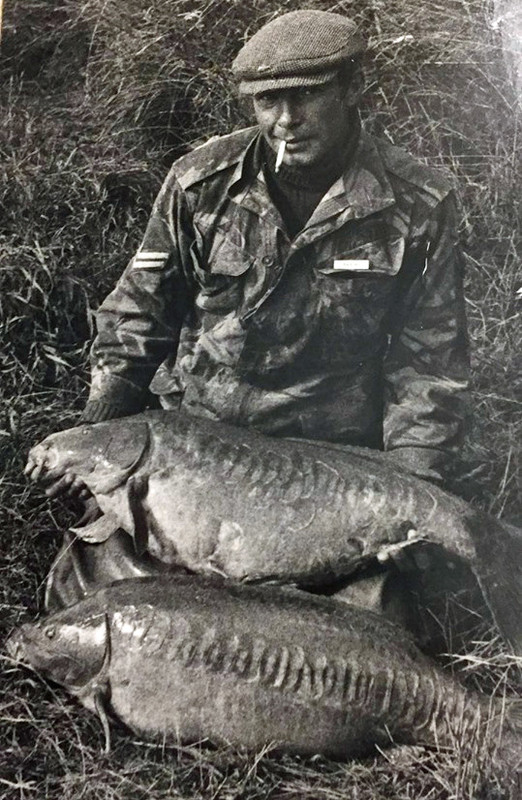
this is width=400
not sure how you posting Dave ? I can only do it my way lol
this is width =200
not sure how you posting Dave ? I can only do it my way lol
this is width=400
not sure how you posting Dave ? I can only do it my way lol
this is width =200
In reply to Post #22
I used to do it the same way as you Gerry but as things have moved on a lot of the hosting sites you can just copy and paste the link directly without all the Forum text and they automatically display imgbb being one and knowing the right link on the image site you posted also does it now just shortcuts having to insert a link between text.
I used to do it the same way as you Gerry but as things have moved on a lot of the hosting sites you can just copy and paste the link directly without all the Forum text and they automatically display imgbb being one and knowing the right link on the image site you posted also does it now just shortcuts having to insert a link between text.
In reply to Post #24
AGGGHHHH now I get it
I just realised what Dave and you were saying you dont need ANY TEXT just the link 
AGGGHHHH now I get it
I just realised what Dave and you were saying
you dont need ANY TEXT just the link

I'm on another forum where you can just select an image from the gallery on your phone and upload it straight to the forum. So straightforward, always puzzled me why this forum isn't the same?
In reply to Post #24
I find I usually have to add the width=500 bit to the links with that way. If it's a half decent shot I use the medium linked option
I find I usually have to add the width=500 bit to the links with that way. If it's a half decent shot I use the medium linked option

2nd link didn't work for me
In reply to Post #29
just post the 2nd link up from the bottom
just post the 2nd link up from the bottom