


In reply to Post #1255
Hi Pete. Glad you're winning, I find light colours often get blown out and loose definition. Having problems at the moment with some still life shots. Have had to resort to Photoshop to make the adjustments.
Should know the answer to this but for some reason I am a bit at sea
Hi Pete. Glad you're winning, I find light colours often get blown out and loose definition. Having problems at the moment with some still life shots. Have had to resort to Photoshop to make the adjustments.
Should know the answer to this but for some reason I am a bit at sea

In reply to Post #1254
I have a canon G5 and when uploading photo's I cant upload anything taken in M setting. They appear on the camera but I cant get them to transfer to the computer with the photos taken in Auto. Is there something else i need to be doing??
This is daft. The M (Manual) setting only uses a potentially different aperture and speed to Auto .... the file size will be the same.
How do you connect the Canon .... through software or through Explorer?
I have a canon G5 and when uploading photo's I cant upload anything taken in M setting. They appear on the camera but I cant get them to transfer to the computer with the photos taken in Auto. Is there something else i need to be doing??
This is daft. The M (Manual) setting only uses a potentially different aperture and speed to Auto .... the file size will be the same.
How do you connect the Canon .... through software or through Explorer?

In reply to Post #1257
Memory card goes in the slot on the front of the pc then the camera wizard comes up and follow instructions. it is not a specific canon software though so that might be a problem.
It loads up everything on the memory card except photo's taken in M setting. There are over 500 photo's on this card too, I really dont know why it keeps doing this..
Memory card goes in the slot on the front of the pc then the camera wizard comes up and follow instructions. it is not a specific canon software though so that might be a problem.
It loads up everything on the memory card except photo's taken in M setting. There are over 500 photo's on this card too, I really dont know why it keeps doing this..
In reply to Post #1258
What happens when you lust plug the camera in via the USB port?
What happens when you lust plug the camera in via the USB port?
In reply to Post #1258
Try using the Canon software that came with the camera. Once loaded plug the camera directly into a USB port with the lead supplied
Select the download option which transfers the files to your PC. In preferences you can select for this to happen each time you plug the camera in. Normally stores in the photo section or if you have an extra hard drive attached you can specify this location.
Not a good idea to keep taking the memory card out of the camera. If you don't have enough space on your PC get a small auxiliary memory drive or desk top model to store your images. Once stored delete the photos off the memory card.
Spend some time deleting the shots you don't want and put into folders for easy access the ones you do. Back up the contents of the auxiliary drive to CD and store in a different place.
Aux hard drives come in all shapes and sizes and prices. I have a mains 1000 gig model which cost around £80 and a passport model which has 300 gig capacity and is portable, costing around £40. If you don't have enough USB ports you can get a USB hub which allows you to plug in extra devices as it acts as an extension.
Try using the Canon software that came with the camera. Once loaded plug the camera directly into a USB port with the lead supplied
Select the download option which transfers the files to your PC. In preferences you can select for this to happen each time you plug the camera in. Normally stores in the photo section or if you have an extra hard drive attached you can specify this location.
Not a good idea to keep taking the memory card out of the camera. If you don't have enough space on your PC get a small auxiliary memory drive or desk top model to store your images. Once stored delete the photos off the memory card.
Spend some time deleting the shots you don't want and put into folders for easy access the ones you do. Back up the contents of the auxiliary drive to CD and store in a different place.
Aux hard drives come in all shapes and sizes and prices. I have a mains 1000 gig model which cost around £80 and a passport model which has 300 gig capacity and is portable, costing around £40. If you don't have enough USB ports you can get a USB hub which allows you to plug in extra devices as it acts as an extension.
In reply to Post #1260
On Windows the G5 is recognised in Explorer and it can be accessed like any drive. The fact that a shot taken in Manual is treated differently to one shot in Auto mode is plainly daft as they both end up as a .JPG.
I would be interested to know that if when the camera is connected via USB only all the image files are seen by the PC. There is no reason they shouldn't be.
On Windows the G5 is recognised in Explorer and it can be accessed like any drive. The fact that a shot taken in Manual is treated differently to one shot in Auto mode is plainly daft as they both end up as a .JPG.
I would be interested to know that if when the camera is connected via USB only all the image files are seen by the PC. There is no reason they shouldn't be.
In reply to Post #1261
Got me scratching my head as well, does not make sense unless the camera has a raw image facility and this has been accessed accidently in which case the PC would not have a programme to open it as the Canon software has not been installed. Not familiar with this model, clutching at straws.
Got me scratching my head as well, does not make sense unless the camera has a raw image facility and this has been accessed accidently in which case the PC would not have a programme to open it as the Canon software has not been installed. Not familiar with this model, clutching at straws.
In reply to Post #1262
The G5 shoots RAW so it is possible that Manual is shooting in RAW.
So .... select M on the top dial. Press the Func button and see if RAW is displayed in the bottom left of the screen. If it is then change it to L. If it was then you will need to convert the images on the card (.CR2?) to JPG - Put convert RAW to jpg into Google and you should find something free if you haven't got the Canon tools
The G5 shoots RAW so it is possible that Manual is shooting in RAW.
So .... select M on the top dial. Press the Func button and see if RAW is displayed in the bottom left of the screen. If it is then change it to L. If it was then you will need to convert the images on the card (.CR2?) to JPG - Put convert RAW to jpg into Google and you should find something free if you haven't got the Canon tools
In reply to Post #1263
Thanks for the replies guys, its all a bit complicated but i will have a go at loading the canon software, im sure I tried it with the usb lead and it did the same thing. I do have a kodak camera software loaded on which may be interfeering with it in some way so i will take that off first then load up the canon stuff and see what happens.
Thanks for the replies guys, its all a bit complicated but i will have a go at loading the canon software, im sure I tried it with the usb lead and it did the same thing. I do have a kodak camera software loaded on which may be interfeering with it in some way so i will take that off first then load up the canon stuff and see what happens.

In reply to Post #1246
Sorry for the long delay replying Ken .
.
Thanks for the comments
Yes you can use most of the sigma lenses on Nikon though you must check they are nikon fit.
If you need auto focusing on the D5000 D40 D60 D3010 or D5010 you do need HSM which is sigmas self focusing range.
I bought my 150-500 last december and so far i have been very pleased with the results, the focus is spot on though as ken rockwell says in his review it can be a little slow.
The Optical stabiliser is very good and you can get good shots on much lower shutter speeds with it on and i now take most of my shots with it handheld even tough it weighs nearly 2Kilos .
Some earlier versions did have a few focusing issues, I think sigma have now sorted this out, i would recommend this lens to anyone .
Nice swan shot pete.
I have also owned a G6 for several years and take most of my shots in raw, if you want to upload raw i think you do need to install the canon software on vista or you did when i was on vista.
this is also probably the case with the G5.
Thanks again Ken, i must check this thread more often
Sorry for the long delay replying Ken
.Thanks for the comments
Yes you can use most of the sigma lenses on Nikon though you must check they are nikon fit.
If you need auto focusing on the D5000 D40 D60 D3010 or D5010 you do need HSM which is sigmas self focusing range.
I bought my 150-500 last december and so far i have been very pleased with the results, the focus is spot on though as ken rockwell says in his review it can be a little slow.
The Optical stabiliser is very good and you can get good shots on much lower shutter speeds with it on and i now take most of my shots with it handheld even tough it weighs nearly 2Kilos .
Some earlier versions did have a few focusing issues, I think sigma have now sorted this out, i would recommend this lens to anyone
.Nice swan shot pete.
I have also owned a G6 for several years and take most of my shots in raw, if you want to upload raw i think you do need to install the canon software on vista or you did when i was on vista.
this is also probably the case with the G5.
Thanks again Ken, i must check this thread more often
This message has been suppressed by a moderator.
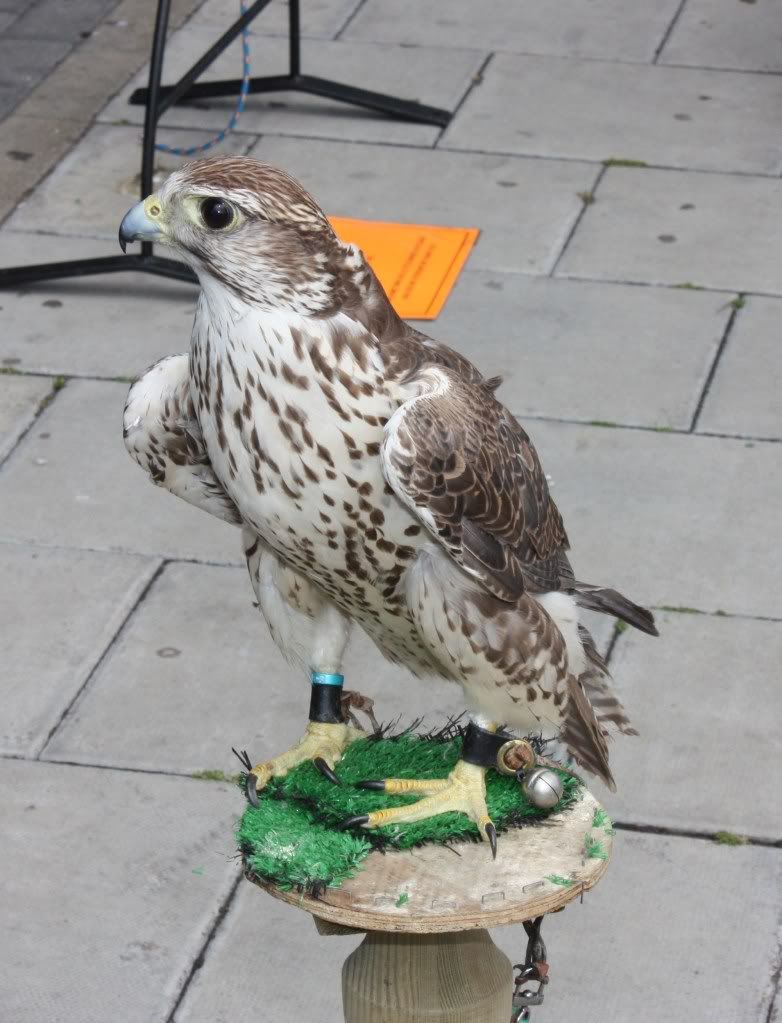
Using flash for outdoor shots can add a sparkle and fill in shadows on a dull day


In reply to Post #1264
This happened to a friend of mine from the camera club. He was using a Canon compact (not sure which one). One of the members suggested he load from a card reader and open in PS, before saving to the desktop (or where preferred). Worked, apparently.
This happened to a friend of mine from the camera club. He was using a Canon compact (not sure which one). One of the members suggested he load from a card reader and open in PS, before saving to the desktop (or where preferred). Worked, apparently.
In reply to Post #1268
Take it that PS (Photoshop) is what we are referring to does offer a lot more opportunities to save in different formats, It also handles just about all known formats which some other operating systems can't cope with, or find a programme to open it with. I would be surprised if when the Canon software is loaded and the files downloaded directly to the PC that the problem would continue.
Take it that PS (Photoshop) is what we are referring to does offer a lot more opportunities to save in different formats, It also handles just about all known formats which some other operating systems can't cope with, or find a programme to open it with. I would be surprised if when the Canon software is loaded and the files downloaded directly to the PC that the problem would continue.

In reply to Post #1269

A little grassy I made friends with in France
A little grassy I made friends with in France